🚨 문제 분석: etcd CrashLoopBackOff 및 API 서버 연결 실패
🔎 주요 문제들
- etcd 컨테이너가 CrashLoopBackOff 상태
- failed to "StartContainer" for "etcd" with CrashLoopBackOff
- 일정 시간 후 재시작되지만 계속 실패함
- Kubernetes API 서버와 연결 불가 (connect: connection refused)
- dial tcp 172.16.71.10:6443: connect: connection refused
- API 서버가 정상적으로 실행되지 않음
🔎 해결하는 방법
1) etcd 컨테이너 목록 확인 및 로그확인
root@master:/home/master# crictl ps -a | grep etcd
a69fc684412fb       27e3830e14027       About a minute ago   Running             etcd                      156                 8759de1ef30fa       etcd-master
0a14e287e262b       27e3830e14027       2 minutes ago        Exited              etcd                      155                 3139d7c9a74b8       etcd-master

root@master:/home/master# crictl logs 8759de1ef30fa
E0320 14:43:52.777303 1243470 remote_runtime.go:432] "ContainerStatus from runtime service failed" err="rpc error: code = NotFound desc = an error occurred when try to find container \"8759de1ef30fa\": not found" containerID="8759de1ef30fa"
FATA[0000] rpc error: code = NotFound desc = an error occurred when try to find container "8759de1ef30fa": not found
root@master:/home/master# crictl logs 3139d7c9a74b8
E0320 14:44:00.019651 1243604 remote_runtime.go:432] "ContainerStatus from runtime service failed" err="rpc error: code = NotFound desc = an error occurred when try to find container \"3139d7c9a74b8\": not found" containerID="3139d7c9a74b8"
FATA[0000] rpc error: code = NotFound desc = an error occurred when try to find container "3139d7c9a74b8": not found
root@master:/home/master#
"rpc error: code = NotFound desc = an error occurred when try to find container"
위 에러는 컨테이너 ID가 존재하지 않거나 이미 사게되었을 때, 비정상적으로 종료되었을 때, 뜨는 에러문구이다.
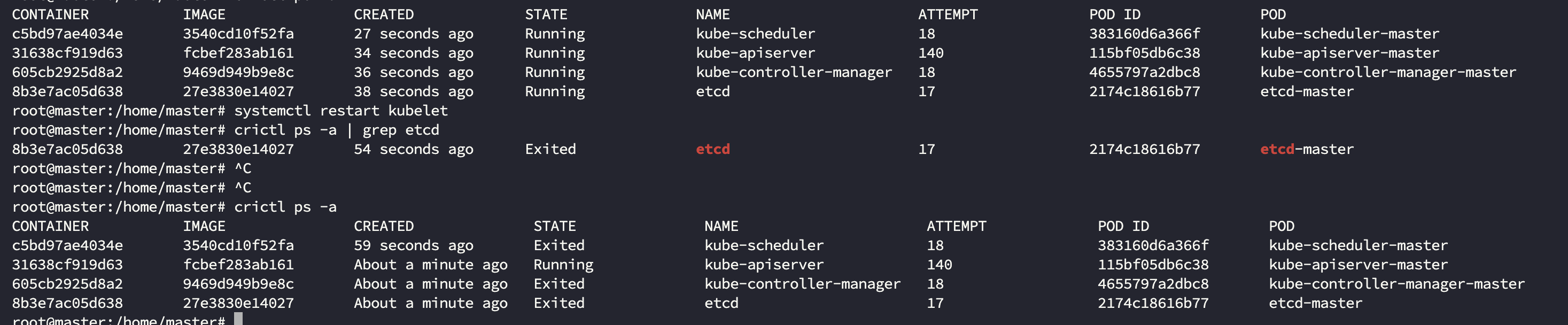
모든 컨테이너를 제거하고 다시 살려보았으나 순식간에 컨테이너의 상태가 Exited상태로 변한다.
kubeadm reset --force위 명령으로 다시 해볼려고 한다 ㅠㅠ
rm -rf /etc/kubernetes/ /var/lib/etcd /var/lib/cni /run/kubernetes
rm -rf $HOME/.kube
잔존해있는 설정파일도 제거하고
crictl rm --force $(crictl ps -a -q) # 모든 컨테이너 삭제
systemctl restart containerd # containerd 재시작
모든 컨테이너를 제거하고 컨테이너 데몬도 다시 시작하였다.
root@master:/home/master# kubectl get pods
E0320 14:59:59.074145 1266137 memcache.go:265] couldn't get current server API group list: Get "https://172.16.71.10:6443/api?timeout=32s": dial tcp 172.16.71.10:6443: connect: connection refused
E0320 14:59:59.074283 1266137 memcache.go:265] couldn't get current server API group list: Get "https://172.16.71.10:6443/api?timeout=32s": dial tcp 172.16.71.10:6443: connect: connection refused
E0320 14:59:59.075570 1266137 memcache.go:265] couldn't get current server API group list: Get "https://172.16.71.10:6443/api?timeout=32s": dial tcp 172.16.71.10:6443: connect: connection refused
E0320 14:59:59.075690 1266137 memcache.go:265] couldn't get current server API group list: Get "https://172.16.71.10:6443/api?timeout=32s": dial tcp 172.16.71.10:6443: connect: connection refused
E0320 14:59:59.077669 1266137 memcache.go:265] couldn't get current server API group list: Get "https://172.16.71.10:6443/api?timeout=32s": dial tcp 172.16.71.10:6443: connect: connection refused
The connection to the server 172.16.71.10:6443 was refused - did you specify the right host or port?
root@master:/home/master# kubectl get nodes
E0320 15:00:03.428293 1266263 memcache.go:265] couldn't get current server API group list: Get "https://172.16.71.10:6443/api?timeout=32s": dial tcp 172.16.71.10:6443: connect: connection refused
E0320 15:00:03.428454 1266263 memcache.go:265] couldn't get current server API group list: Get "https://172.16.71.10:6443/api?timeout=32s": dial tcp 172.16.71.10:6443: connect: connection refused
E0320 15:00:03.429626 1266263 memcache.go:265] couldn't get current server API group list: Get "https://172.16.71.10:6443/api?timeout=32s": dial tcp 172.16.71.10:6443: connect: connection refused
E0320 15:00:03.429783 1266263 memcache.go:265] couldn't get current server API group list: Get "https://172.16.71.10:6443/api?timeout=32s": dial tcp 172.16.71.10:6443: connect: connection refused
E0320 15:00:03.431154 1266263 memcache.go:265] couldn't get current server API group list: Get "https://172.16.71.10:6443/api?timeout=32s": dial tcp 172.16.71.10:6443: connect: connection refused
The connection to the server 172.16.71.10:6443 was refused - did you specify the right host or port?
root@master:/home/master#
역시 같은 문제가 발생한다.
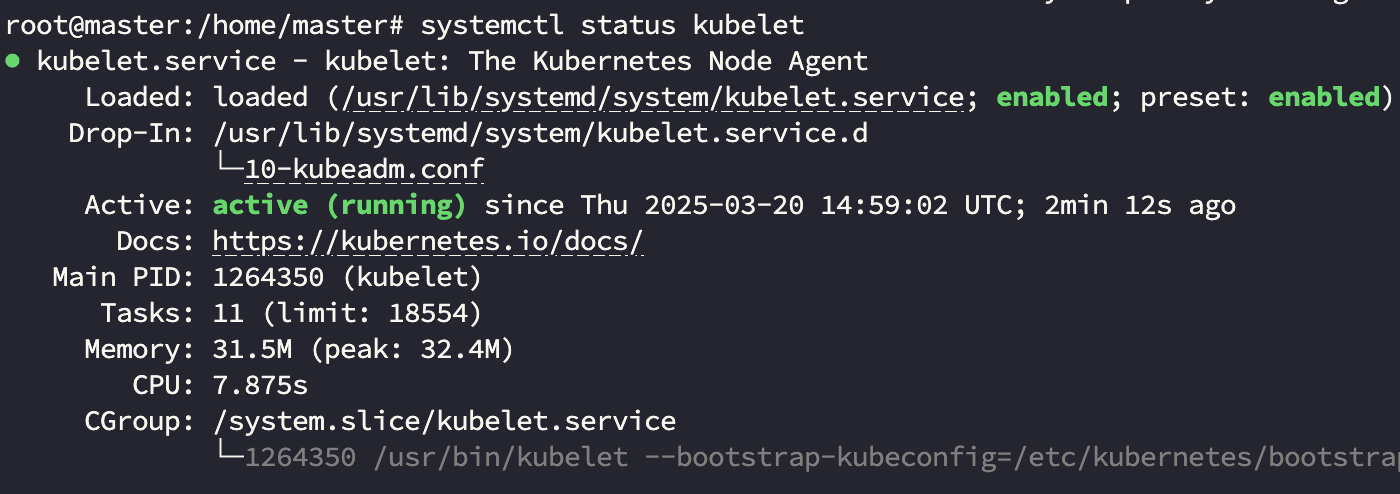
kubelet은 멀쩡하다....
보통 kubeadm 1.24+ 이후로는 systemd cgroup driver를 권wkdgksekrhgksek.
sudo systemctl daemon-reload
sudo systemctl restart containerd
/etc/containerd/config.toml파일의 아래부분을 flase 에서 아래와 같이 true로 수정하였다.
[plugins."io.containerd.grpc.v1.cri".containerd.runtimes.runc.options]
SystemdCgroup = true
수정하고 다시 차근차근 네트워크 인터페이스로 cilium을 설치하였다.
  295  curl -L --remote-name-all   https://github.com/cilium/cilium-cli/releases/download/v0.15.7/cilium-linux-arm64.tar.gz
  296  tar xvf cilium-linux-arm64.tar.gz
  297  sudo mv cilium /usr/local/bin/
  298  cilium status
  299  cilium hubble enable       # (선택) Hubble (Observability) 기능 활성화
  300  cilium install
정상적로 된다ㅎㅎㅎ
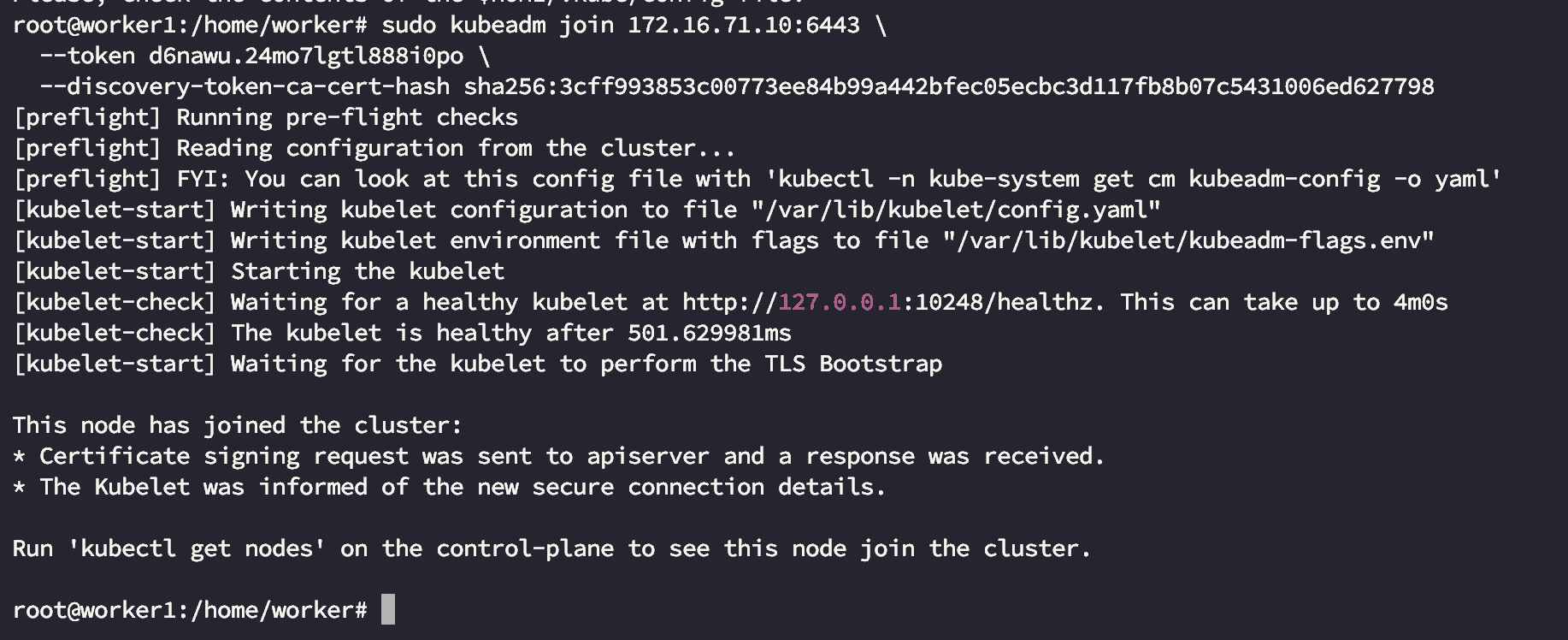
이제 워커노드에서 join시켜줄 차레이다,.

'Cloud' 카테고리의 다른 글
| [Side Proejct] IaC_apple_sillicon : Tart - 인프라 구축하기 (0) | 2026.03.22 |
|---|---|
| [Side Proejct] IaC_apple_sillicon Motivation, Stack(Tart) (0) | 2026.03.10 |
| Cannot open the disk '/Users/{username}/Virtual Machines.localized오류 해결하기 (0) | 2025.03.01 |
| Apple Silicon(m4 max) VM Fusion으로 VM 고정아이피 설정하기(반 해결) (0) | 2025.02.24 |
| Apple Silicon(M4 MAX128GB), Vmware로 K8s 설치 - VM 고정아이피(미해결) (0) | 2025.02.24 |

